URO Board Designer works with two formats: .s3dx (the Shape3d file format, editable curve by curve) and STL (a mesh, the thing a CNC or a 3D printer understands). You can open both and go from one to the other without leaving the program.
Opening a file
On the start screen, click Open file (STL / s3dx)… or press O. With a board already open, the Open button in the right-hand bar does the same. Below it you’ll find Recent files.
- A .s3dx opens complete: shape, accessories, 3D layers and finish. It’s the only format you can edit (press E).
- An STL opens for viewing and measuring. To edit it, convert it to .s3dx first.
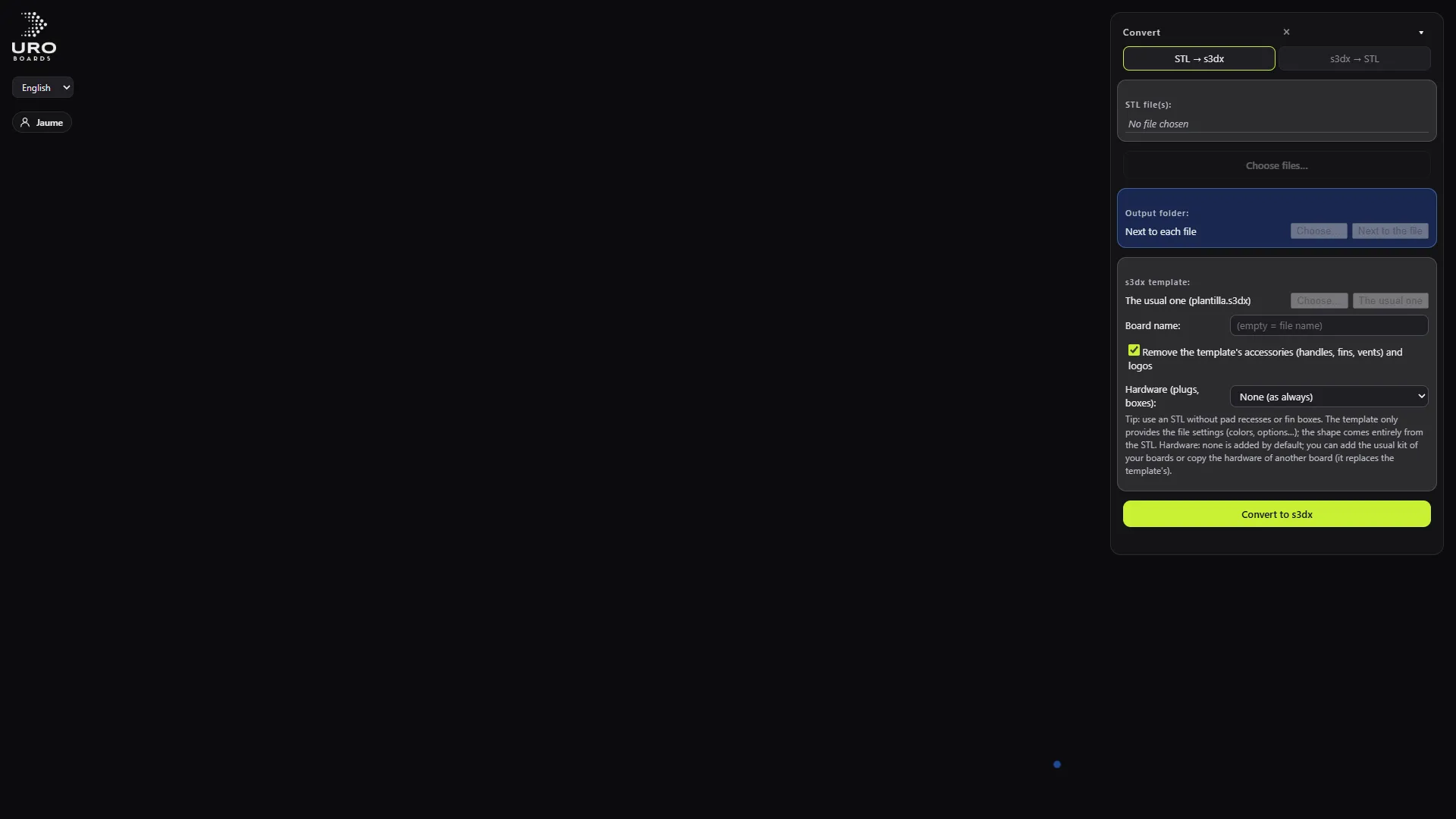
The Convert panel
Open it with the Convert card on the start screen, the Convert STL ⇄ s3dx (V) button in the bar, or the V key. It has two tabs: STL → s3dx and s3dx → STL.
Click Choose… and pick one or more files. The result takes the original’s name and is saved next to it, or in the Output folder you choose. When it’s done you get Open the result and Compare with the original.
The program never writes over a file it’s reading from. If the output file already exists, it asks before replacing it.
From STL to editable .s3dx
The program rebuilds a full design from the mesh: outline, bottom and deck rocker, 16 sections of 6 points each and the guide curves (chine, apex, deck). It works out the units (mm or cm), the orientation and the rail type on its own.
What you control:
- Board name (empty = file name).
- s3dx template: it only supplies the file settings. The shape comes entirely from the STL.
- Remove the template’s accessories (handles, fins, vents) and logos.
- Hardware (plugs, boxes): none, a preset kit, or Copy those of another board.
It takes 30 to 60 seconds per board. On 4 real boards, the mean error against the original STL was 0.09 to 0.16 mm. You get the best result from an STL without a pad recess or fin boxes.
From .s3dx to STL
It generates a closed mesh in millimetres, with the tail at x = 0. By default you get the clean shape. Three checkboxes add more:
- Include the pad and material layers.
- Include deck recesses and rail cuts.
- Include boxes and plugs: cuts the cavities of the accessories that are visible in 3D.
You also choose the mesh Resolution (stations).
Built-in templates
The start screen comes with 17 templates under Start from an included template: wing foil, surf (shortboard, fish, mid-length, gun, longboard), windsurf (race and wave) and SUP (race, surf and downwind foil). For kitesurfing, the short surf ones (shortboard and fish) are offered as a base.
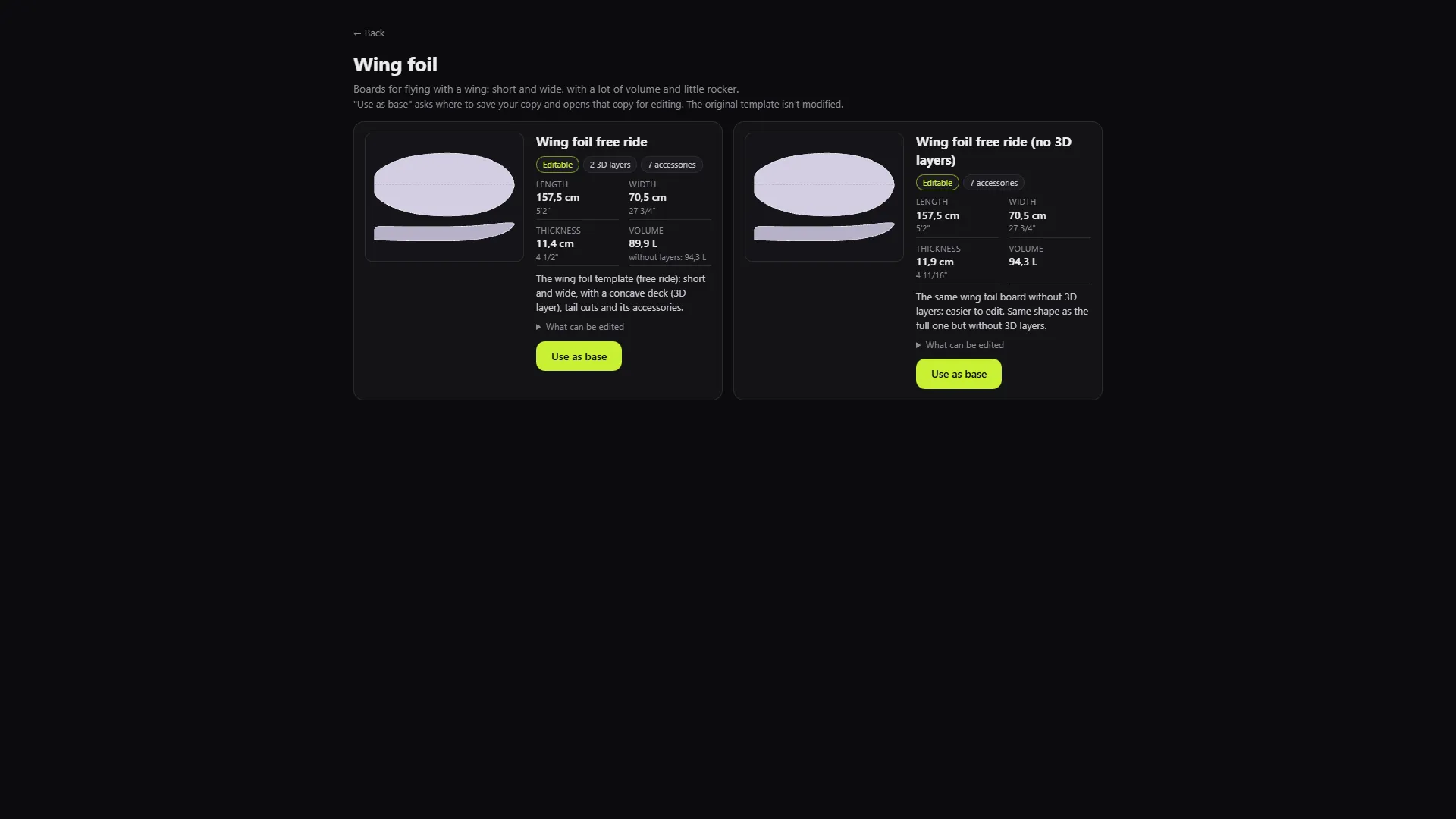
Pick the type and the template, then click Use as base. The program asks where to save your copy and opens that copy. The original template is never changed.
Command line
For batch conversion, the installation includes boarddesigner-cli.exe, with the commands stl2s3dx and s3dx2stl. It needs a valid licence, just like the panel.
What the program generates hasn’t been checked in your design program. Open it and check the volume before you build.